Google Business Profile Gets Views but No Calls? 9 Reasons
Getting Google Business Profile views but no calls? Discover 9 common reasons and practical ways to improve local SEO, customer trust and enquiries.
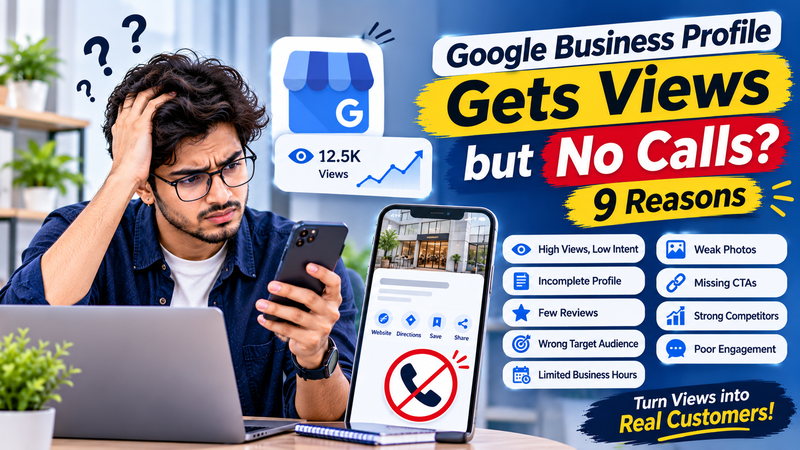
Why Is Your Google Business Profile Getting Views but Not Calls or Customer Enquiries?
Imagine your business appears regularly on Google Search and Google Maps. People are viewing your Google Business Profile, checking your photos, and discovering your business. However, the number of phone calls, WhatsApp messages, and customer enquiries remains very low.
This is a frustrating situation for many business owners.
You may start wondering whether your Google Business Profile is properly optimised, whether your competitors are getting more customers, or whether something is wrong with your local SEO strategy.
The important thing to understand is that getting views on Google Business Profile does not automatically mean getting customers.
People might discover your business without having enough information or confidence to contact you. Sometimes, your profile attracts the wrong audience. In other cases, poor reviews, outdated information, weak photos, or an unclear call-to-action can stop potential customers from taking the next step.
The good news is that these problems can be identified and improved.
In this article, we will explore nine common reasons why your Google Business Profile gets views but no calls or enquiries, along with practical ways to improve customer engagement and generate more local leads.
1. Your Google Business Profile Is Getting Views From the Wrong Audience
One of the biggest reasons behind low customer enquiries is irrelevant traffic.
Your business profile might appear for searches that are related to your industry but do not represent people who are ready to purchase your products or services.
For example, imagine you run a digital marketing training institute. Your Google Business Profile might receive views from people searching for:
What is digital marketing?
Free online marketing tutorials.
Digital marketing jobs.
How to learn SEO at home.
Digital marketing salary.
These searches may generate visibility, but many users are looking for information rather than a professional training institute.
How to fix it:
Start by understanding which search terms are bringing people to your business profile.
Focus on search queries that reflect genuine customer requirements. Make your business category, services, description, and website content relevant to what your ideal customers are searching for.
For example, if you provide professional digital marketing training, make sure your profile clearly explains your courses, training options, practical learning opportunities, and contact information.
The goal is not simply to attract more profile views. It is to attract people who are genuinely interested in your services.
2. Your Primary Business Category Is Not Correct
Your Google Business Profile category plays an important role in helping Google understand what your business offers.
If your primary category does not accurately describe your main business activity, your profile may appear for less relevant searches.
For example, a professional training institute should select a category that accurately represents its educational services rather than choosing an unrelated category simply because it appears popular.
Many business owners also make the mistake of adding too many secondary categories without checking whether they genuinely represent their services.
How to fix it:
Select the most accurate primary business category.
Add relevant secondary categories where appropriate.
Review your business services and ensure they match your actual offerings.
Remove unrelated categories.
Keep your profile information consistent with your website.
Google explains that local results are primarily influenced by relevance, distance, and prominence. Providing complete and accurate business information helps Google understand how your profile matches a customer's search. <Cite refs={["turn263260search0"]}/>
Remember, the right category helps attract relevant customers instead of simply increasing visibility.
3. Your Business Profile Does Not Provide Enough Information
Imagine someone discovers your business on Google. They are interested in your services but cannot find important information such as pricing details, business hours, contact information, or the services you provide.
What will they do?
In many cases, they will compare another business that provides clearer information.
An incomplete Google Business Profile can reduce customer confidence and make it difficult for potential customers to decide whether they should contact you.
How to fix it:
Review your profile and make sure the following information is accurate:
Correct business name.
Complete business address.
Updated phone number.
Accurate opening and closing hours.
Primary and secondary business categories.
Detailed business description.
Relevant products and services.
Website link.
Available contact and booking options.
Also, update special opening hours during festivals and holidays.
For service-based businesses, clearly explain the areas you serve. For businesses with a physical location, make sure the address and directions are correct.
A complete profile helps customers understand what you offer and how they can reach you.
4. Your Business Photos Are Not Convincing Customers
Photos are often one of the first things people notice when they visit a Google Business Profile.
If your profile contains outdated, low-quality, or irrelevant pictures, customers may hesitate before contacting your business.
For example, a training institute that displays only building photographs is missing an opportunity to show its actual learning environment, classrooms, practical sessions, and student activities.
Customers want to see what they can expect before choosing a business.
How to fix it:
Upload genuine and high-quality photographs that represent your business.
Depending on your industry, include:
Business entrance and exterior photographs.
Interior and workspace images.
Products or service photographs.
Team and staff pictures.
Classroom or training activity photographs.
Real customer experiences, where permission is available.
Avoid using unrelated stock photographs or misleading images.
You can also share genuine videos that demonstrate your products, services, facilities, or working process.
The objective is to help potential customers feel more familiar with your business before making contact.
5. Your Google Reviews Are Not Building Enough Trust
Customer reviews influence how people evaluate a business before contacting it.
Imagine two businesses appearing on Google for the same service. One has several detailed customer reviews with genuine experiences, while the other has very few reviews or unanswered complaints.
Many customers may feel more comfortable contacting the business that provides stronger evidence of customer satisfaction.
A weak review profile can therefore affect customer confidence, even when your business receives regular views.
How to fix it:
Encourage genuine customers to share their experiences.
Ask for honest feedback after completing a service.
Respond professionally to positive reviews.
Address negative reviews politely.
Avoid purchasing fake reviews.
Never offer incentives in exchange for positive ratings.
Pay attention to what customers mention in their feedback. Their comments can help you identify weaknesses in your services and improve the overall customer experience.
Google also recommends responding to reviews because helpful responses show that a business values customer feedback. <Cite refs={["turn263260search0"]}/>
Remember, the purpose of customer reviews is not just to improve your online reputation. It is also to help potential customers make informed decisions.
6. Your Profile Does Not Have a Clear Call-to-Action
Sometimes customers are interested in your business but are not sure what to do next.
Your profile may provide a business description and photographs, but the next step might not be obvious.
Should they call? Visit your website? Send a message? Book an appointment?
When customers cannot easily identify how to contact you, they may leave your profile and choose another business.
How to fix it:
Make your contact options clear and easy to use.
Depending on your business type and available profile features:
Add a correct and active phone number.
Keep your website link updated.
Provide an appropriate booking or appointment link.
Enable available messaging options where suitable.
Explain how customers can enquire about your services.
For example, if you operate a training institute, make it easy for interested students to enquire about courses, eligibility, class timings, and admission information.
Also, check whether your contact links work properly on mobile devices.
A customer should not have to search through multiple pages just to find your contact number.
7. Your Website Is Not Converting Google Business Profile Visitors
Your Google Business Profile may generate website clicks, but visitors might leave your website without submitting an enquiry.
This usually happens when there is a difference between what customers expect and what they see after clicking your website link.
Some common website conversion problems include:
Slow page loading speed.
Poor mobile experience.
Confusing website navigation.
Missing contact information.
Unclear service descriptions.
No visible enquiry form.
Outdated course or service details.
Weak customer testimonials.
How to fix it:
Create a website experience that makes it easy for visitors to take action.
Your landing page should clearly communicate:
What your business offers.
Who your services are suitable for.
What benefits customers can expect.
Why customers should trust your business.
How visitors can contact you.
Use clear enquiry buttons, working phone links, and WhatsApp contact options where appropriate.
You should also analyse website traffic through Google Analytics 4 (GA4) to understand how visitors behave after arriving from your Google Business Profile.
Remember, local visibility brings potential customers to your profile, but your website and contact experience help convert that interest into enquiries.
8. You Are Not Monitoring Google Business Profile Performance
Another common mistake is focusing only on the number of profile views.
Views are useful for understanding visibility, but they do not tell the complete story.
Google Business Profile provides performance information that helps business owners understand how customers discover and interact with their profiles.
Depending on the profile and available metrics, you can monitor:
Profile views: How many people viewed your profile on Google Search and Maps.
Searches: The search terms people used to discover your profile.
Calls: The number of times customers clicked the call button.
Website clicks: How often visitors clicked your website link.
Direction requests: How many times people requested directions.
Messages: The number of conversations through the messaging feature, where available.
One important detail: the calls metric measures clicks on the call button, not necessarily successfully connected or completed calls. Check your phone records to understand actual incoming calls.
Performance reporting is available for verified Business Profiles. <Cite refs={["turn263260search1"]}/>
How to fix it:
Review your Google Business Profile Performance section regularly.
Compare your results over consistent periods, such as the previous 28 days and the 28 days before that.
Look for patterns:
Views are increasing, but calls remain low.
Website clicks are increasing, but forms are not being submitted.
Direction requests are increasing, but actual visits remain low.
Some search terms generate visibility but very few useful enquiries.
These insights help you understand where customers are dropping out of the journey.
Do not measure success through profile views alone. Pay attention to meaningful customer actions.
9. Your Business Is Not Standing Out From Local Competitors
Your business may appear in local search results, but potential customers often compare multiple businesses before making a decision.
They may compare reviews, photographs, services, opening hours, website quality, and overall business information.
If competitors provide clearer information or stronger evidence of customer satisfaction, customers may choose them instead.
Local search visibility also depends on factors such as relevance, distance, and prominence. A business cannot completely control the searcher's distance from its location, so there is no guaranteed way to appear first for every nearby search. <Cite refs={["turn263260search0"]}/>
How to fix it:
Study the businesses appearing for your most important local searches.
Pay attention to:
Their primary business categories.
Services and products listed.
Quality and relevance of photographs.
Customer reviews and responses.
Website experience.
Business information and contact options.
Identify what your business can communicate more clearly or offer more effectively.
You should also maintain your website's local SEO and build consistent business information across relevant directories and trusted websites.
Avoid copying competitor descriptions or adding unnecessary keywords to your business name. Focus on accurate information and genuine customer value.
How Can You Turn More Google Business Profile Views Into Customer Enquiries?
Fixing individual problems is important, but you also need a consistent optimisation routine.
Here is a practical approach for improving your Google Business Profile:
1. Improve profile completeness: Check your business category, address, contact details, working hours, services, and description.
2. Understand customer search intent: Review the search queries bringing visitors to your profile and identify relevant local searches.
3. Improve visual presentation: Upload genuine photographs that help customers understand your business.
4. Build customer trust: Request genuine reviews and respond to customer feedback.
5. Make contact easier: Check your phone number, website link, directions, messaging, and booking options.
6. Optimise your website: Make sure the website provides relevant information and a simple enquiry process.
7. Monitor performance: Compare views, calls, website clicks, messages, and direction requests to identify improvements.
8. Maintain consistency: Update your profile whenever your services, contact information, or business hours change.
These activities help improve the customer experience and make your business profile more useful to people searching locally.
How Can AI Help Improve Google Business Profile Performance?
Artificial intelligence is becoming increasingly useful in digital marketing.
Marketers can use AI tools to analyse customer feedback, generate content ideas, identify common search themes, and organise marketing performance data.
Here are some practical ways AI can support local SEO:
Review analysis: Identify common complaints and positive customer experiences from review feedback.
Content ideas: Generate relevant ideas for Google Business Profile posts.
Keyword research: Discover related search phrases and customer questions.
Competitor analysis: Organise publicly available competitor information for comparison.
Performance reporting: Summarise changes in profile views, calls, and website clicks.
Customer communication: Prepare helpful responses to common customer questions.
However, AI-generated content should always be checked before publishing. Business information, customer responses, and service details must remain accurate.
For aspiring professionals, understanding these activities is becoming an important part of a modern marketing course with AI.
Learning how to combine local SEO, customer behaviour analysis, and AI-powered marketing tools can help marketers solve real business problems rather than simply create online content.
What Should You Learn to Improve Local SEO and Generate More Leads?
Managing a Google Business Profile successfully requires more than uploading photographs and publishing regular posts.
Digital marketers should understand how local search works, how customers discover businesses, and what influences their decision to make an enquiry.
Some useful skills include:
Google Business Profile optimisation.
Local SEO and Google Maps optimisation.
Keyword research and search intent.
Customer review management.
On-page SEO.
Website conversion optimisation.
Google Analytics 4.
Lead generation and tracking.
Competitor analysis.
AI tools for digital marketing.
If you are interested in developing these skills, a practical digital marketing course in Jodhpur can help you understand how SEO, Google Business Profile, Google Ads, social media marketing, and analytics work together.
When comparing a marketing course in Jodhpur, look for practical assignments, local SEO training, live project experience, and opportunities to analyse actual marketing performance.
Students exploring a digital marketing course in India should also check whether the training covers current digital marketing tools, local search optimisation, and AI-powered marketing.
The right marketing course should help you understand not only how to improve online visibility but also how to measure enquiries, analyse customer behaviour, and support business growth.
Frequently Asked Questions (FAQs)
1. Why is my Google Business Profile getting views but no calls?
Your profile may be attracting irrelevant searches, providing incomplete business information, or failing to build enough customer trust. Weak reviews, unclear contact options, and poor website experiences can also prevent potential customers from calling.
2. How can I get more calls from my Google Business Profile?
Use the correct business category, update your phone number and working hours, add relevant services and genuine photographs, collect honest customer reviews, and make your contact information easy to find.
3. Do Google Business Profile views help improve local rankings?
Views are an important performance metric, but they should not be treated as a direct ranking factor or a guarantee of better local rankings. Google primarily describes local ranking in terms of relevance, distance, and prominence.
4. How often should I update my Google Business Profile?
Review your profile regularly and update information whenever your business details, services, hours, or contact information change. Publish relevant updates when you have something useful to share with customers.
5. Why are customers viewing my Google Business Profile but choosing competitors?
Customers may find competitors more trustworthy or relevant because of their reviews, service information, photographs, business details, or website experience. Compare the complete customer experience rather than focusing only on rankings.
6. How do I check how many people call through my Google Business Profile?
Open your verified Business Profile, go to the Performance section, and select the reporting period. Check the calls metric to see call-button clicks. Compare this with your actual phone records to understand how many calls were successfully received.
7. Can Google Business Profile generate leads without running Google Ads?
Yes. A properly managed Google Business Profile can attract customers through organic local search results and Google Maps without requiring paid advertising. However, results depend on local competition, relevance, distance, prominence, and customer demand.
Final Thoughts
Getting views on your Google Business Profile is a positive starting point, but visibility alone does not generate business growth.
If people are discovering your profile without making calls or enquiries, examine the complete customer journey. Check whether your business information is accurate, your reviews build trust, your photographs are convincing, and your contact options are easy to use.
Also, monitor your profile performance regularly instead of focusing only on the number of views.
For business owners, the goal should be to turn relevant local visibility into genuine customer enquiries. For aspiring marketers, learning Google Business Profile optimisation and local SEO is an important step towards developing practical digital marketing skills.
A strong digital marketing strategy is not just about getting your business seen on Google. It is about giving potential customers enough information and confidence to choose your business.
Comments
No comments yet. Be the first to comment!